How to Redeem Wake Up An Animal Codes
Exact clicks, case rules, and fixes when a promo code fails to apply.
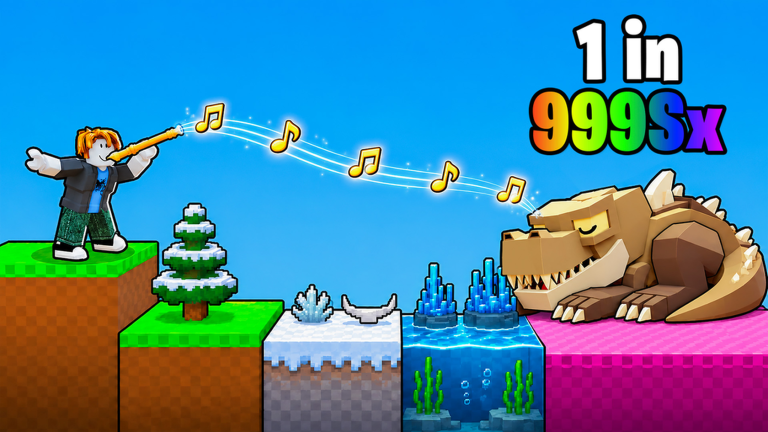
Redeeming codes in Wake Up An Animal takes under a minute once you know where the Codes panel lives. This page walks through the full flow for PC, mobile, and console Roblox clients, explains why codes fail, and shows what to do with rewards after they land. Pair it with the live list on the codes hub so you never paste an expired string.
Before you open the Codes UI
- Update Roblox so you are not on a stale client.
- Join Wake Up An Animal from the official experience page.
- Finish the orange starting zone tutorial if it is your first session — some UI buttons stay locked until the first animal wakes.
- Copy a code from the codes hub into your clipboard. Do not retype from memory.
If you are brand new, skim the getting started guide first so the HUD labels make sense.
Step-by-step redemption
On PC
- Wait until your avatar fully loads in a server (max players is five, so joins are usually fast).
- Look along the left or top HUD for a Codes, gift, or Settings gear icon. FixEyeGames UI can shift after patches; if you only see Shop and Inventory, open Settings and scroll for a code box.
- Click the Codes entry to open the text field.
- Paste the code with
Ctrl+V. - Press Redeem / Confirm.
- Watch for a green success toast. Check cash and any temporary buffs immediately.
On mobile
- Tap the menu button (often three dots or a hamburger on the left).
- Open Codes or Settings → Codes.
- Long-press the field and choose Paste.
- Tap Redeem. Keep the app in the foreground until the toast appears — backgrounding Roblox mid-request can drop the response.
On console
- Use the on-screen cursor or controller shortcut to open the experience menu.
- Navigate to Codes.
- Enter the string carefully with the on-screen keyboard. Prefer pasting from a phone note if your platform supports it.
- Confirm, then check inventory.
Case sensitivity and formatting rules
Wake Up An Animal codes behave like most Roblox promo strings:
- Uppercase and lowercase must match the published version.
- Do not add spaces before or after the string.
- Do not include quotation marks if a video thumbnail shows them for styling.
- One redemption per code per account is the normal rule.
- Group or like requirements sometimes appear on launch codes — join FixEyeGames if the UI asks.
Creator storefront codes on roblox.com are unrelated. Typing a YouTuber’s username into the in-game Codes box will not grant Wake Up An Animal rewards.
What success looks like
A valid code usually:
- Shows a confirmation message with the reward name
- Adds cash to your balance instantly
- Applies a timed luck or breath buff visible near your HUD stats
- Sometimes drops a starter animal into your collection list
Open your animal collection (see animal collection) if the reward was a creature rather than currency.
Common errors and fixes
| Message / symptom | Meaning | What to try |
|---|---|---|
| Invalid / Unknown code | Typo or expired | Re-copy from codes, check case |
| Already redeemed | This account used it | Stop retrying; track new drops instead |
| Please try again | Remote timeout | Rejoin server, redeem once |
| Codes locked | Tutorial incomplete | Wake the first animal in the orange zone |
| Nothing happens | UI desync | Rejoin; check cash anyway |
If every code fails for everyone in your server, the drop likely ended. Watch the updates hub for the next patch notes.
After you redeem: spend order
Codes are most valuable in the first days of an account. Recommended spend order:
- Breath — extends wake range so you clear packs faster (breath training).
- Instrument unlocks — raise luck toward Rare / Secret / Rainbow (instruments guide).
- Zone travel prep — make sure range and luck are ready before hopping biomes (zones).
- Targeted rare hunting — use the animal tier list so cash is not wasted on low-value commons.
Offline earnings still tick while you are away, so banking a stronger animal roster after a code binge pays for itself overnight.
Safety notes
- Never pay for “private codes.” Real codes are free and public.
- Never enter your Roblox password into third-party code sites.
- Prefer this wiki and the official experience page over random Discord DMs.
- Scripts that claim to “generate codes” are scams; see the scripts hub for safer automation context.
Related pages
Revisit this guide whenever the Codes button moves after a UI update. The redemption logic stays the same even if the icon changes.
Frequently Asked Questions
Quick answers to the most common questions.
Where is the Codes button in Wake Up An Animal?
Check the left/top HUD or Settings after the orange-zone tutorial. Exact placement can change with patches; details are in the steps above.
Can I redeem the same code twice?
Almost never. Each code is one redemption per account. Switch accounts only if you own them and the game rules allow it.
Why does my code say invalid?
Usually a typo, wrong case, or an expired drop. Re-copy from the codes hub and try once more after rejoining.
Should I redeem before or after training breath?
Redeem first, then spend cash on breath and instruments. That sequence is covered in breath training.